Be at LGA two hours before a domestic departure and three before an international one. That still doesn’t tell you what time to leave the house, so put in your departure time and adjust the drive, parking and bags.
Try it with your own flight
Tap the departure time and set it to the one on your ticket.
Tap any duration and change it to how long that step really takes you.
Every start time shifts so you can see when to leave and when to start packing.
Departure
15 minFinal pack & check12:30 PM
30 minDrive to LGA12:45 PM
15 minPark & walk in1:15 PM
15 minBag drop & boarding pass1:30 PM
20 minSecurity at LGA1:45 PM
10 minWalk to the gate2:05 PM
15 minAt the gate early2:15 PM
30 minBoarding2:30 PM
Departure3:00 PM
Every row is editable. Tap the departure or any duration and the plan recomputes backward. The first travel row is your leave-by time.
Travel time to LGA
The 30-minute drive is a typical run from New York without traffic. In the app, set LaGuardia as the destination and Apple Maps fills in the time from where you’re leaving.
🚗 30 min
🚗 Drive🚶 Walk🚴 Cycle
30 minDrive to LGA
Still check traffic for the hour you’ll go (real drive to LGA). Change the row and every step before it moves.
A maps app covers the drive to LGA. Bag drop, security, and the walk to your gate usually take longer, and they are the steps people misjudge.
Here is the same plan drawn to scale. The first block is travel; the next two are the airport. A checked bag grows one, a far gate grows the other.
Front door to boarding: 2hr 30min
Before you leave 15 min
Getting there 45 min
Bag drop and security 35 min
Gate and boarding 55 min
How early should I be at LGA?
Two hours domestic, three international
Ahead of your departure time
That is a solid default here. Trim it only on routes and hours you already know well.
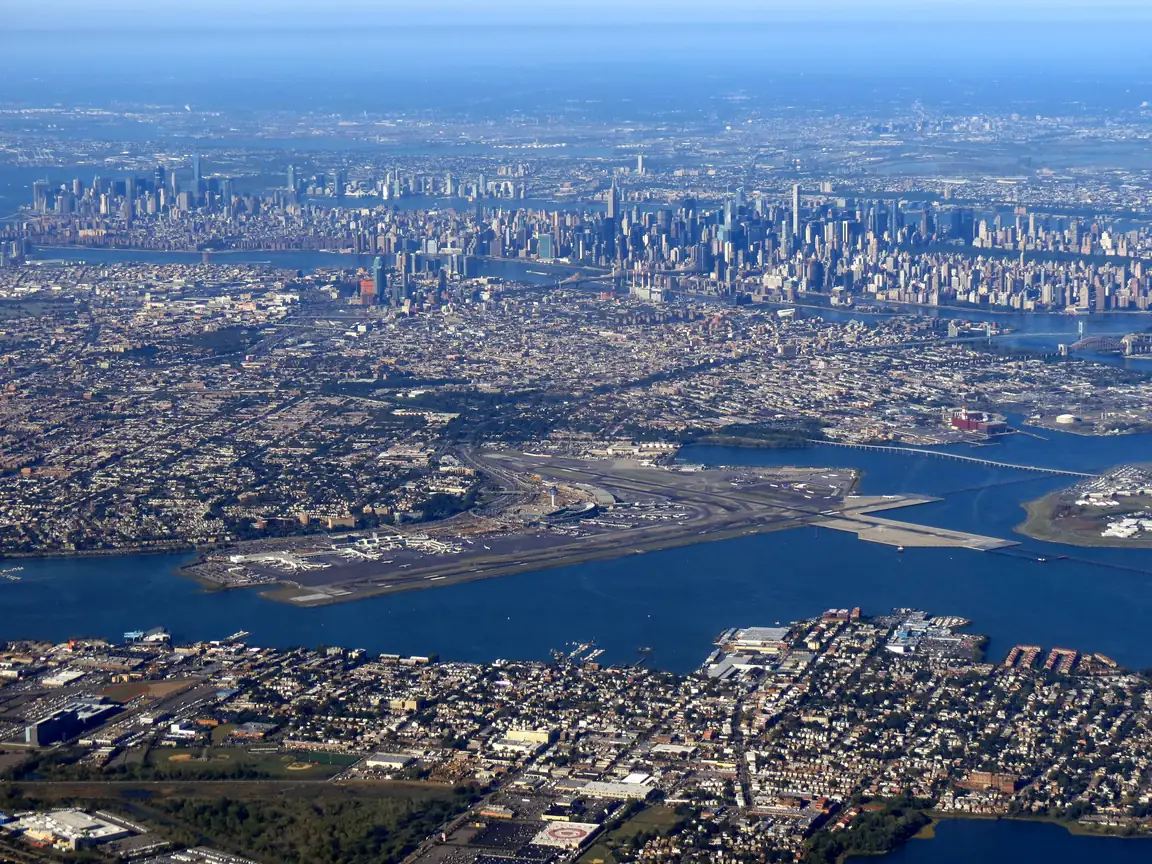
The rebuilt terminals are a genuine upgrade, but the roads feeding them are the same , and it's the Grand Central Parkway and the BQE that set your arrival time. Commercial flying happens in the rebuilt Terminals B and C; Terminal A, the Art Deco Marine Air Terminal, is closed to the public and now houses a private operator, so the choice on the ground is only B or C.
Security at LGA
The new Terminal B and Terminal C checkpoints move well outside of the morning shuttle-flight rush, when the business crowd hits them all at once. A pedestrian path links Terminals B and C, but it sits outside security: switch terminals and you screen again, so the walk saves you the shuttle, but not the checkpoint.
The plan allows 20 minutes for a standard lane on a busy but normal morning. With TSA PreCheck, that drops to 10 minutes. A checked bag lengthens the one before it.
Getting to LaGuardia
There's no direct rail link: it's a cab, a rideshare, or the Q70 bus from the subway at Roosevelt Avenue. Whatever the mode, cross-borough traffic is the input that matters, and it swings hard between 20 minutes and an hour. There is still no rail to LGA (the AirTrain plan was cancelled), so the bus and the road are the entire list.
Terminals, checkpoints and transit change; the official LGA site is the live source.
Save this LGA plan in Ready Time and it tells you when to start packing and when to leave for the airport.
Ready Time
You know what you need to do. Ready Time helps you know when to start.
Common questions
How early should I get to LGA for a domestic flight?
Be at LGA two hours before a domestic departure and three before an international one. That is a solid default here. Trim it only on routes and hours you already know well. The plan above works back from there through security, bag drop, parking and the drive to a leave-by time.
How long is security at LGA?
The plan allows 20 minutes for a busy-but-normal standard lane. With TSA PreCheck it drops to 10 minutes, and you can edit either one to what you actually see. A checked bag lengthens the step before it. Checkpoint detail for LGA is in the section above.
How early should I get to LGA for an international flight?
Earlier than for a domestic one. International boarding starts 45 minutes before departure instead of 30, which pulls every step earlier. Use the airline desk for bags: documents get checked and counters often close an hour out. That also covers lap infants, unaccompanied minors, and oversized bags. If your boarding pass names a boarding time, match that.
When should I leave for LGA?
Work backward from departure: boarding, time at the gate, the walk, security, bag drop, parking, then the drive (30 minutes in the default plan). Replace the drive with your own route. The leave-by moment is the first travel row, "Drive to LGA" by default.
Whoever is driving sees the same 12:45 PM leave-by that you do, not just the 3:00 PM on the ticket.
They tap once, and every step gets its own alert on their phone.
👥 Shared by Rosa
✈️ Flight from LGA
15 minFinal pack & check12:30 PM
30 minDrive to LGA12:45 PM
15 minPark & walk in1:15 PM
Departure3:00 PM
✈️ Flight from LGA
15 minFinal pack & check12:30 PM
30 minDrive to LGA12:45 PM
15 minPark & walk in1:15 PM
Share Plan
✈️
Flight from LGA
Ready Time · 9 steps
L
Luis
M
Mom
F
Family
When to start getting ready
Two hours early still leaves the morning open: when to pack, when to leave. The plan keeps subtracting past the drive until it lands on a start time. Ready Time saves that chain and alerts you at each step, and can pick the flight up from your calendar.
Ready Time12:30 PM
Final pack & check. Departure in 2h 30m
Ready Time1:30 PM
Bag drop & boarding pass. Departure in 1h 30m
Ready Time2:30 PM
Boarding. Departure in 30m
Alerts when it's time to start
Get a nudge at the right moment, while there's still time to act.
Each step gets its own alert, so you know what's next and how long you have.
★★★★★
“A key part of my planning process. Well worth the investment.”
App Store review
Ready Time
You know what you need to do. Ready Time helps you know when to start.