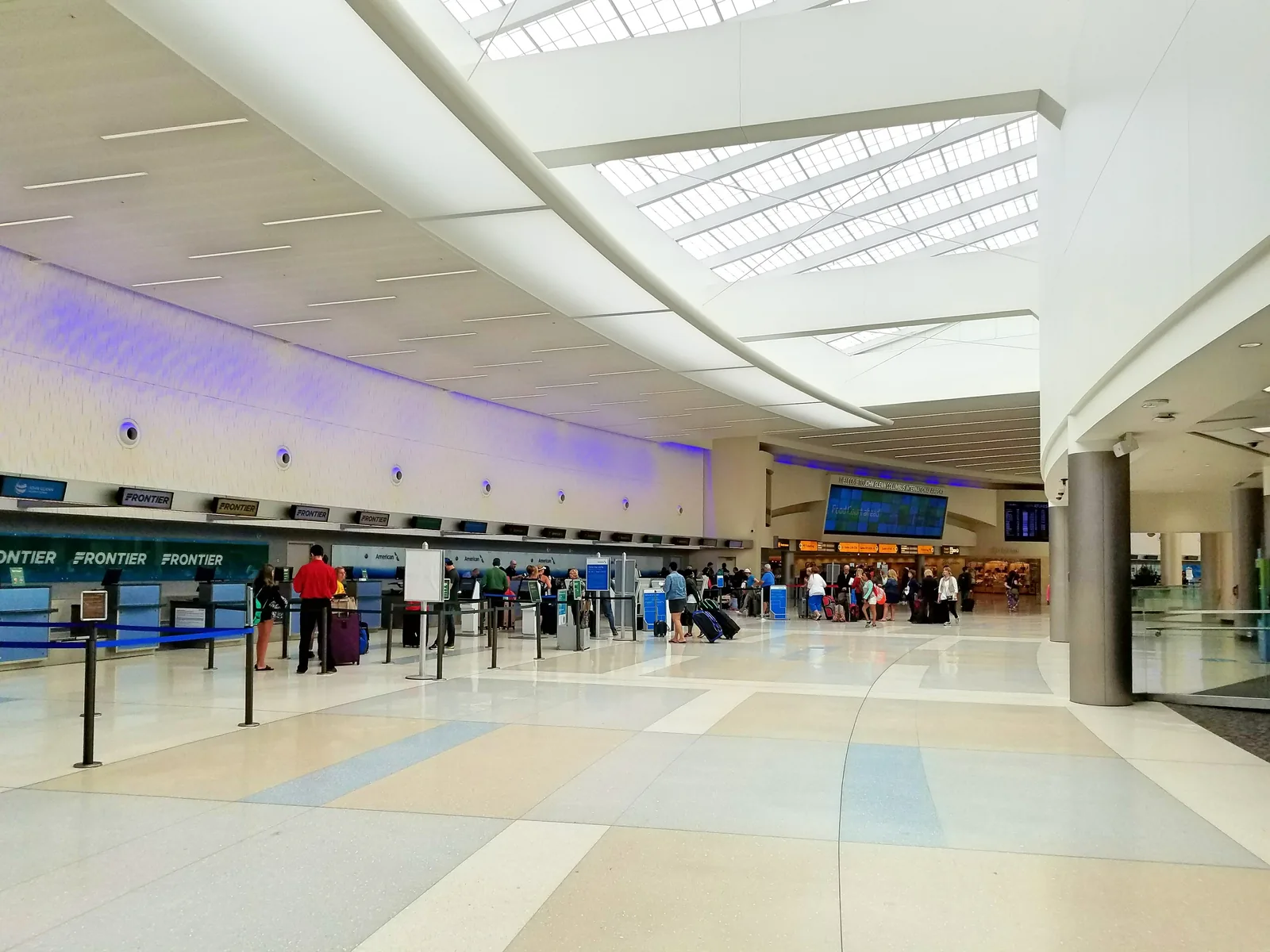
Your flight out of John Glenn Columbus International leaves at a fixed time. Enter the departure time from your ticket, adjust the drive and the steps, and see when to leave and when to start packing.
Try it with your own flight
Set your trip above: how you're getting there, bags, security, gate.
Tap the departure time and set it to the one on your ticket.
Every start time shifts so you can see when to leave and when to start packing.
Departure
15 minFinal pack & check12:55 PM
15 minDrive to CMH1:10 PM
10 minPark & walk in1:25 PM
15 minBag drop & boarding pass1:35 PM
20 minSecurity at CMH1:50 PM
5 minWalk to the gate2:10 PM
15 minAt the gate early2:15 PM
30 minBoarding2:30 PM
Departure3:00 PM
Every row is editable. Tap the departure or any duration and the plan recomputes backward. The first travel row is your leave-by time.
Travel time to CMH
The 15-minute drive is a typical run from Columbus without traffic. In the app, set John Glenn Columbus International as the destination and Apple Maps fills in the time from where you’re leaving.
🚗 15 min
🚗 Drive🚶 Walk🚴 Cycle
15 minDrive to CMH
Still check traffic for the hour you’ll go (real drive to CMH). Change the row and every step before it moves.
A maps app covers the drive to CMH. Bag drop, security, and the walk to your gate usually take longer, and they are the steps people misjudge.
Here is the same plan drawn to scale. The first block is travel; the next two are the airport. A checked bag grows one, a far gate grows the other.
Front door to boarding: 2hr 5min
Before you leave 15 min
Getting there 25 min
Bag drop and security 35 min
Gate and boarding 50 min
How early should I be at CMH?
Ninety minutes to two hours
Ahead of your departure time
Checking a bag or flying at a peak hour puts you toward the early end of the range.
Columbus asks for ninety minutes domestic and two hours international, one of the few airports its size that says so in writing, and the average checkpoint wait it publishes is usually under a few minutes.
The reason to add margin right now is outside the building: CMH Next, the new terminal going up beside the current one, has rerouted the approach roads and the garage exit, and the airport itself says to allow extra time for the drive in. Each concourse has its own checkpoint and they close at 8:30 PM, so a late departure needs you through before then.
Security at CMH
One checkpoint per concourse (A, B and C), each opening at 4 AM and closing at 8:30 PM, with PreCheck and CLEAR at each. There is no cross-concourse connection past security, so the checkpoint is decided by your gate, not your preference. The gates are close behind each checkpoint, which is why the walk step here is short.
The plan allows 20 minutes for a standard lane on a busy but normal morning. With TSA PreCheck, that drops to 10 minutes. A checked bag lengthens the one before it.
Getting to John Glenn Columbus International
The airport is east of downtown off I-670, a short drive from most of the city and the reason a fifteen-minute plan works outside rush hour. There is no rail; COTA's AirConnect bus serves the terminal but is a city route rather than an airport link.
The garage is attached to the terminal and a walk in, the shuttle lots run every fifteen to eighteen minutes, and the rental car center is off the terminal loop, reached by a purple shuttle from the arrivals curb, so the return is a shuttle ride. Construction has moved the approach: follow the signs rather than memory.
Terminals, checkpoints and transit change; the official CMH site is the live source.
Save this CMH plan in Ready Time and it tells you when to start packing and when to leave for the airport.
Ready Time
You know what you need to do. Ready Time helps you know when to start.
Common questions
How early should I get to CMH for a domestic flight?
Ninety minutes to two hours before departure covers most domestic flights out of CMH. Checking a bag or flying at a peak hour puts you toward the early end of the range. The plan above works back from there through security, bag drop, parking and the drive to a leave-by time.
How long is security at CMH?
The plan allows 20 minutes for a busy-but-normal standard lane. With TSA PreCheck it drops to 10 minutes, and you can edit either one to what you actually see. A checked bag lengthens the step before it. Checkpoint detail for CMH is in the section above.
How early should I get to CMH for an international flight?
Earlier than for a domestic one. International boarding starts 45 minutes before departure instead of 30, which pulls every step earlier. Use the airline desk for bags: documents get checked and counters often close an hour out. That also covers lap infants, unaccompanied minors, and oversized bags. If your boarding pass names a boarding time, match that.
When should I leave for CMH?
Work backward from departure: boarding, time at the gate, the walk, security, bag drop, parking, then the drive (15 minutes in the default plan). Replace the drive with your own route. The leave-by moment is the first travel row, "Drive to CMH" by default.
Whoever is driving sees the same 1:10 PM leave-by that you do, not just the 3:00 PM on the ticket.
They tap once, and every step gets its own alert on their phone.
👥 Shared by Rosa
✈️ Flight from CMH
15 minFinal pack & check12:55 PM
15 minDrive to CMH1:10 PM
10 minPark & walk in1:25 PM
Departure3:00 PM
✈️ Flight from CMH
15 minFinal pack & check12:55 PM
15 minDrive to CMH1:10 PM
10 minPark & walk in1:25 PM
Share Plan
✈️
Flight from CMH
Ready Time · 9 steps
L
Luis
M
Mom
F
Family
When to start getting ready
Two hours early still leaves the morning open: when to pack, when to leave. The plan keeps subtracting past the drive until it lands on a start time. Ready Time saves that chain and alerts you at each step, and can pick the flight up from your calendar.
Ready Time12:55 PM
Final pack & check. Departure in 2h 5m
Ready Time1:35 PM
Bag drop & boarding pass. Departure in 1h 25m
Ready Time2:30 PM
Boarding. Departure in 30m
Alerts when it's time to start
Get a nudge at the right moment, while there's still time to act.
Each step gets its own alert, so you know what's next and how long you have.
“It has helped me tremendously to manage my timeblindness, and I tell people about it all the time.”
Ready Time user, 2021
Ready Time
You know what you need to do. Ready Time helps you know when to start.